
为 Google Drive 创建和配置 Google 云控制台项目
要使用自己的客户端凭据连接 Make,可以在 Google 云控制台中创建和配置一个项目
一、为 Google Drive 创建 Google 云控制台项目
1、使用 Google 认证登录 Google 云控制台
地址:https://console.cloud.google.com/
2、在顶部菜单中,单击选择项目 > 新建项目
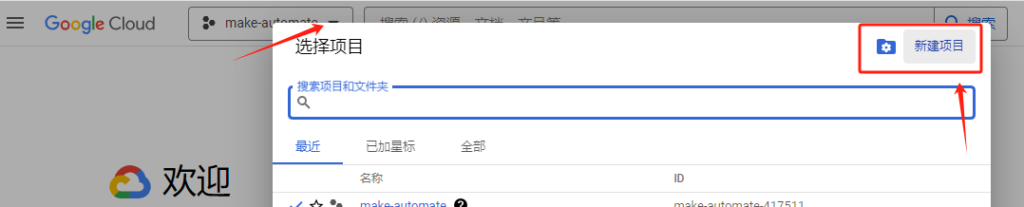
3、输入项目名称并创建
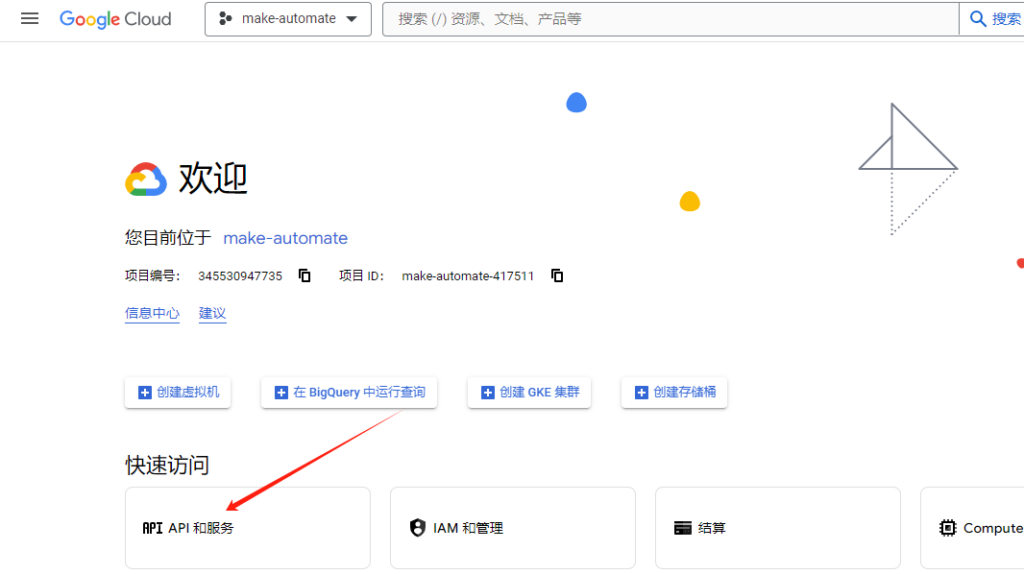
4、创建完之后,进入“API和服务”
二、配置oauth权限请求
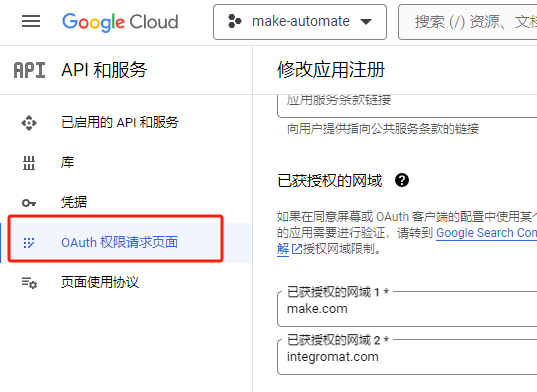
这里有几个必填配置:
1、在用户类型下,选择外部
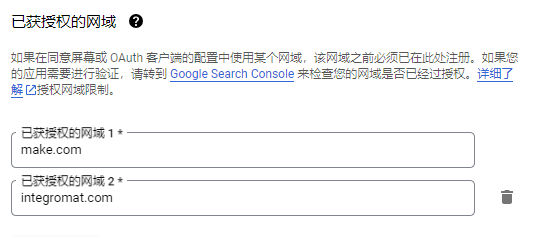
2、已获授权的网域
添加 make.com 和 integromat.com
3、在 “范围 “页面,配置如下受限范围,添加并更新即可
https://mail.google.comhttps://www.googleapis.com/auth/drive
4、在 “测试用户 “页面,添加测试用户电子邮件地址,然后 “保存 “即可
三、创建 Google Drive 客户端证书
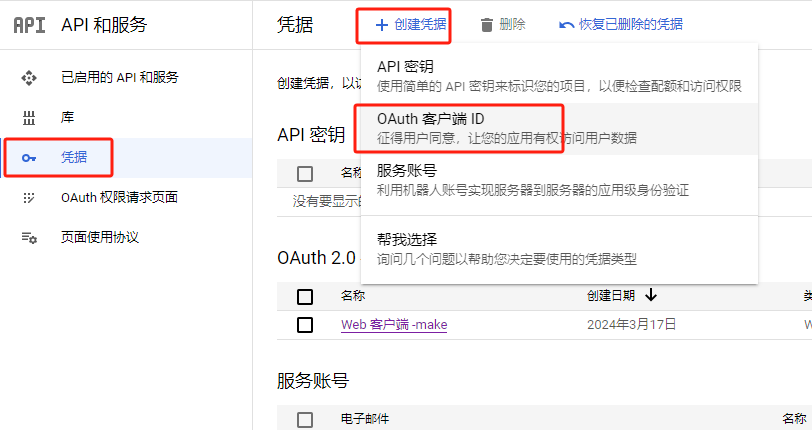
1、在左侧边栏中,单击 “凭据”
2、单击 创建凭证 > OAuth 客户端 ID
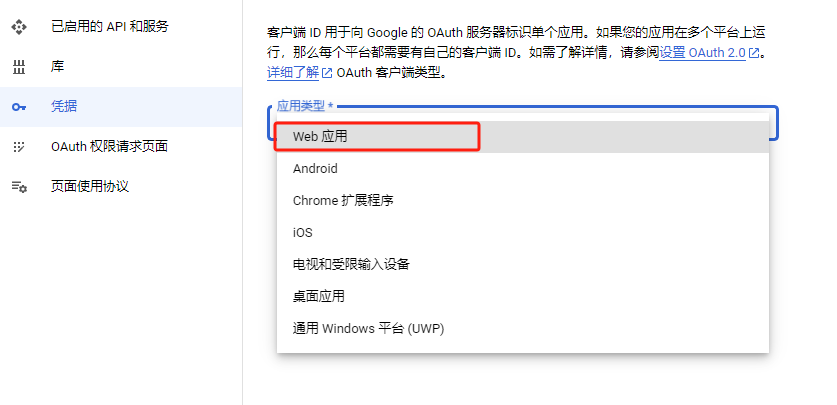
3、在应用程序类型下拉菜单中,选择web应用
4、在“已获授权的重定向 URI”部分,单击 + 添加 URl 并输入以下重定向 URI:https://www.integromat.com/oauth/cb/google-restricted
5、确认后,会生成对应的客户端 ID 和客户端秘钥,复制并将其存放在安全的地方(记得保密)

评论区已关闭。